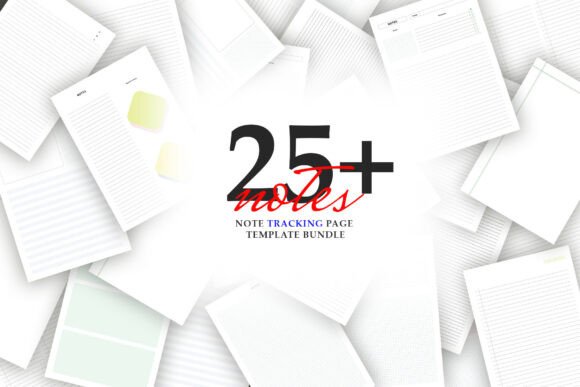
Digital Notebook Template Vol.79: A Versatile, Print-Ready Toolkit for Thoughtful Note-Taking
Whether you're a student preparing for exams, a professional managing complex projects, a creative writer capturing fleeting ideas, or someone simply seeking more intentionality in daily planning—how you record your thoughts matters just as much as what you record. Enter Digital Notebook Template Vol.79: a thoughtfully curated collection of 25 ready-to-print, non-editable PDF templates designed to support clarity, focus, and personal expression—all on a clean white canvas with soft, unobtrusive lines.
Why Design Matters in Digital Note-Taking
At first glance, “digital notebook” might evoke images of apps, cloud sync, or stylus-enabled tablets. But here’s an important distinction: Vol.79 is a digital template, not a digital app. It bridges the best of both worlds—leveraging digital convenience (instant download, unlimited printing) while preserving the cognitive benefits of analog writing. Research consistently shows that handwriting improves memory retention, comprehension, and idea generation compared to typing alone. And when those handwritten notes happen on well-designed pages—structured yet flexible—they become far more functional and joyful to use.
The white background and soft line work aren’t just aesthetic choices. They’re intentional design decisions grounded in usability science: high contrast helps reduce eye strain during long study or work sessions; subtle lines guide your hand without dominating your page; and ample negative space invites creativity—not clutter. This balance empowers your colors to “pop,” whether you’re using pastel highlighters for color-coded priorities or bold markers for brainstorming bursts.
What’s Inside Vol.79? More Than Just Blank Pages
You’ll receive 25 distinct, A4 / US Letter–sized templates, each purpose-built for a specific thinking or organizing need. Unlike generic lined notebooks, these are intelligently structured to match real-world tasks:
- Line Templates — Classic, minimalist, ideal for journaling, free-writing, or drafting essays.
- Grid Templates — Perfect for sketching diagrams, mapping workflows, or aligning data visually.
- Dot Templates — Gentle guides for bullet journaling, habit tracking, or light sketching—offering structure without rigidity.
- Lecture Templates — Optimized for active listening, with designated zones for main ideas, supporting details, and questions.
- Cornell Templates — Based on the proven Cornell note-taking system, promoting reflection, summarization, and review-ready organization.
- Column Templates — Great for comparison charts, pros-and-cons analysis, or side-by-side language study.
- Diagram Templates — Featuring radial layouts, flowcharts, mind map frames, and Venn-style zones for visual thinkers.
- Boxes Templates — Modular grids for task batching, weekly planning, or modular content creation (e.g., social media post ideas).
- Misc. Templates — Including goal trackers, gratitude logs, reading response sheets, and creative prompt pages.
This variety eliminates the “blank-page paralysis” many feel when opening a new notebook. Instead of wondering where to start, you choose the template that matches your current mental task—then begin.
How to Use These Templates in Real Life
Let’s move beyond theory and into practice—with everyday examples:
For Students
A biology major uses the Cornell Template during lectures, then switches to the Diagram Template to draw and label cell structures. Later, they print the Goal Tracker to break down a semester-long research project into biweekly milestones.
For Remote Workers & Managers
A project manager prints the Column Template to compare sprint goals vs. outcomes across three teams. During a strategy session, they grab the Boxes Template to rapidly prototype user journey steps—each box representing a touchpoint, annotated in real time.
For Creatives & Writers
An illustrator prints the Dot Template for daily sketch challenges—and the Grid Template to plan comic panel layouts. A novelist uses the Lecture Template (yes, really!) to “interview” their characters: left column = traits, right column = motivations, bottom summary = core conflict.
For Lifelong Learners & Hobbyists
Someone learning guitar prints the Boxes Template to track daily practice: one box per scale, another for chord transitions, a third for ear-training exercises. A gardener uses the Grid Template to sketch seasonal planting rotations—color-coding by plant family.
Clarifying Common Misconceptions
Before you download, let’s clear up a few frequent assumptions:
- “It’s editable like Canva or Google Docs.” — No. Vol.79 is a non-editable PDF. That means no software required—just open, print, and write. It also ensures consistent formatting across devices and printers.
- “I need a tablet or stylus to use it.” — Not at all. These templates shine with pen and paper. Though you can annotate them digitally using compatible PDF readers (like Adobe Acrobat or GoodNotes), their true strength lies in tactile engagement.
- “25 pages means 25 copies of the same thing.” — Absolutely not. Each page is a unique layout—no repeats. You’re getting 25 tools, not 25 versions of one tool.
- “This replaces my favorite bullet journal.” — Think of it as a powerful upgrade, not a replacement. You keep your journaling style—you just gain smarter, purpose-built pages to support it.
Practical Benefits You’ll Experience Right Away
Here’s what users consistently report after switching to Vol.79:
- Reduced decision fatigue — No more staring at blank paper wondering how to format your to-do list. Pick the right template, and structure emerges instantly.
- Improved consistency — Reusing the same Cornell or Diagram page builds muscle memory, making note-taking faster and more intuitive over time.
- Enhanced visual thinking — Grids, dots, and boxes naturally encourage spatial reasoning—helping you see patterns, relationships, and gaps you’d miss in linear text.
- Total ownership & privacy — Since it’s a local PDF file, your notes stay offline and private—no sign-ups, subscriptions, or data harvesting.
- Cost-effective scalability — Print one page—or fifty. Make five copies for your team, or ten for your classroom. No per-user fees. No expiration.
Getting Started Is Simple
After purchase, you’ll receive an instant digital download containing:
- A single ZIP file with 25 individual PDFs (one per template)
- High-resolution JPEG previews (for quick reference—not included in printable files)
- Clear instructions for optimal printing (recommended paper weight: 80–120 gsm for smooth writing)
No software installation. No account creation. No waiting for shipping. Just download, unzip, print—and begin transforming how you think, learn, and create.
Final Thoughts: Tools Shape Thinking
We often focus on what we want to achieve—better grades, smoother workflows, richer creativity—but rarely consider how deeply our tools shape our thinking. A poorly structured page can scatter attention. A rigid format can stifle insight. But a well-designed, adaptable template? It acts like a quiet collaborator—supporting focus without demanding control.
Digital Notebook Template Vol.79 doesn’t promise magic. It offers something more reliable: intentional design, rooted in cognitive science and real-world use. Whether you’re reviewing lecture notes, planning a product launch, or doodling your way toward a breakthrough idea—these 25 pages meet you where you are, and help you go further, with less friction and more joy.
If you value clarity over complexity, flexibility over rigidity, and thoughtful design over disposable trends—this isn’t just another notebook. It’s a quietly powerful upgrade to how you engage with your own mind.